I still remember our first major corporate live stream back in 2013. We had a single camera, shaky internet, and a client who was about to announce quarterly results to 500 investors. When the stream buffered for 30 seconds mid-presentation, I knew we had to do better. A lot better.
Fourteen years and hundreds of events later, here’s what we’ve learned about making corporate live streams actually work.
Understanding Your Audience First
Before you think about cameras or bandwidth, think about who’s watching. This sounds obvious, but you’d be surprised how many companies skip this step entirely. They plan the stream around the speaker, not the viewer.
We once did a global town hall for an automotive company. The CEO was presenting from their Bangalore office at 10 AM IST. Great for India. Terrible for their US team, who’d have to log in at midnight. The fix wasn’t complicated — we recorded the stream with full interactivity for the India audience, then ran an edited replay with a live Q&A moderator for the US time zone the next morning. Engagement across both sessions was actually higher than their previous “one time fits all” approach.
Ask yourself: Are your viewers watching on laptops in a conference room, or on phones during a commute? Are they senior executives who’ll watch for 90 minutes, or mid-level managers who’ll check in for 20? Are they in one time zone or scattered across the globe?
These questions shape everything — from the length of your stream to how you design your graphics to whether you need multilingual support. We’ve seen clients pour money into production quality while ignoring the fact that 40% of their audience was watching on mobile with the sound off. Captions and clean graphics would have mattered more than a fourth camera angle.
The Equipment Question
Let’s be honest — you can tell the difference between a webcam stream and a professional broadcast within seconds. Your audience can too. We learned this the hard way when a Fortune 100 client compared our early work to “a video call with better lighting.”
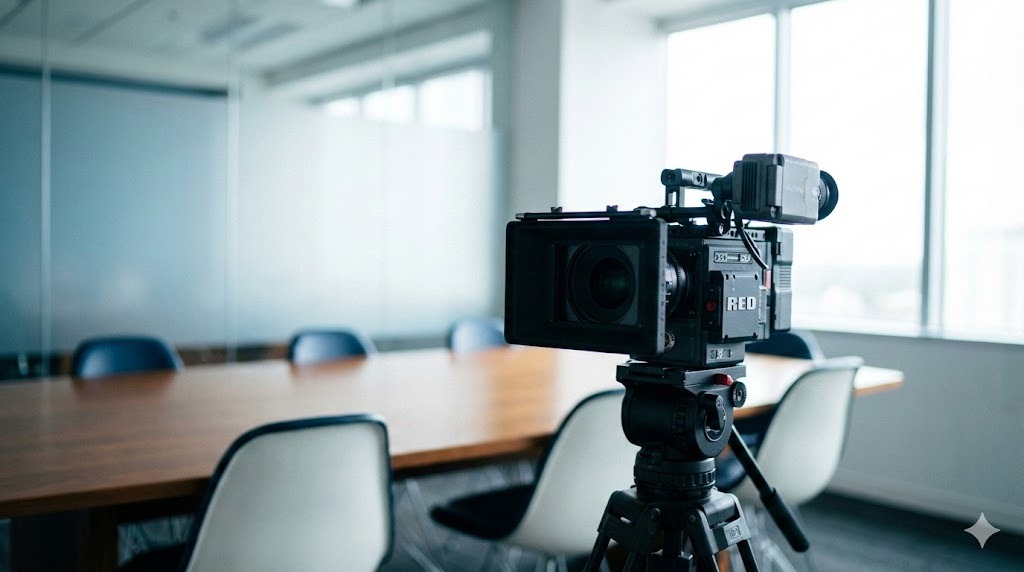
These days, we don’t compromise. Broadcast cameras, proper encoders, redundant systems. Not because we love expensive gear, but because a pixelated CEO doesn’t inspire confidence in shareholders.
Here’s the thing though — you don’t always need the most expensive kit. For a 50-person internal training stream, a good PTZ camera setup with a solid encoder will do the job beautifully. For an annual general meeting being watched by thousands of investors and analysts, you need broadcast-grade equipment with full redundancy. Match your equipment to your stakes.
One tip that’s saved us countless times: always have backup equipment on standby. Cameras fail. Cables get damaged. We had an encoder die 15 minutes before a major pharma company’s product launch. Because we had a hot spare already configured, we swapped it in four minutes and nobody watching knew anything happened. Murphy’s Law loves live events, so plan for Murphy.
Internet: The Silent Killer
Here’s something most people don’t realise — venue WiFi is almost never good enough. We once did an event at a five-star hotel in Mumbai. Beautiful ballroom, terrible internet. The venue assured us their WiFi was “enterprise grade.” It wasn’t.
Let me get specific about what you actually need. For a standard 1080p stream, you want a minimum of 10 Mbps sustained upload bandwidth. That’s sustained, not “up to” — there’s a massive difference. For a multi-bitrate stream (which you should be doing for any event with more than a hundred viewers), double that. And these numbers are just for the stream itself. Your speakers’ slides, any cloud-based graphics systems, remote guest connections — they all eat bandwidth too.
Now we bring our own connectivity. Bonded 4G/5G connections are a game changer — they combine multiple cellular connections into a single fat pipe with automatic failover. If one SIM card’s network gets congested, traffic shifts to the others seamlessly. We typically bond four to six connections, giving us 30-50 Mbps of reliable upload even in venues where the house internet is struggling.
When possible, we also arrange dedicated fiber. For a major event — say, a listed company’s AGM — we’ll have bonded cellular as primary and a dedicated fiber line as backup (or vice versa). And always a third fallback option. Three layers of connectivity might sound paranoid, but we haven’t had a connectivity failure in four years. That’s not luck. That’s planning.
One more thing: always test your connectivity at the venue during the same time of day as your actual event. Hotel internet at 7 AM during setup is very different from hotel internet at 10 AM when 300 conference attendees are all streaming Netflix and checking email.
Audio Matters More Than Video
This one surprises people. Viewers will tolerate slightly soft video. They won’t tolerate echo, background noise, or inconsistent volume. We’ve seen audiences drop off streams within minutes when audio is poor — even when the video looks cinematic.
The human brain processes bad audio as stress. It’s literally fatiguing to listen to. Bad video is just annoying. That’s why a podcast with great audio and no video can hold attention for two hours, but a beautifully shot video with echoey audio gets abandoned in thirty seconds.
Invest in good microphones. Lapel mics for speakers, shotgun mics for audience questions, and a proper audio mixer to balance everything. Do proper sound checks. Walk the room with headphones and listen for buzzing lights, humming HVAC systems, and that mysterious rattling that only appears when 200 people are seated and the building’s ventilation kicks into high gear.
And for the love of all things holy, make sure the AC doesn’t create a low hum that ruins your entire recording. We once had to ask a five-star venue to turn off the air conditioning in the ballroom during recording segments because the hum was bleeding into every microphone. The room got warm. The audio was perfect. Fair trade.
Multiple Cameras Change Everything
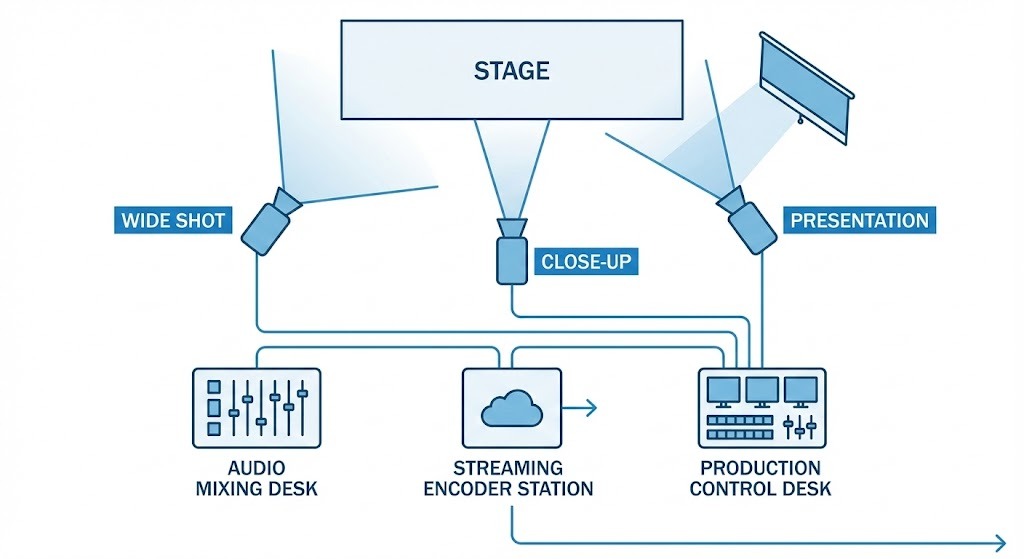
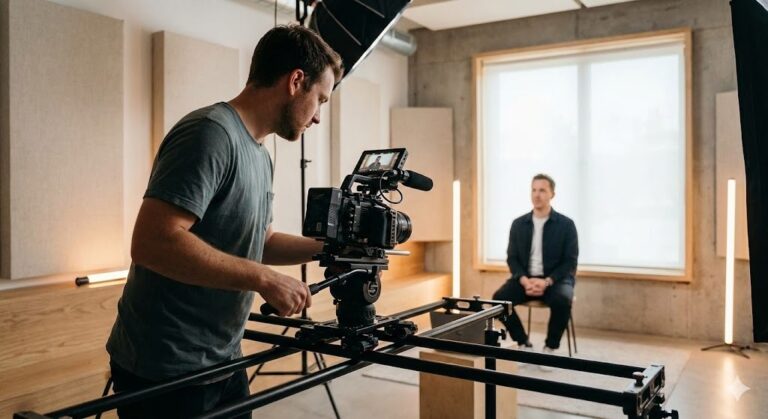
Single-camera streams feel like surveillance footage. There’s no energy, no dynamism. For any corporate event worth streaming, we deploy at least three cameras — wide shot, presenter close-up, and presentation feed.
The magic happens in the switching. A well-timed cut to an audience reaction or a close-up during a key announcement adds production value that viewers feel even if they can’t articulate it. It mimics how your brain naturally shifts attention in a room — you look at the speaker, then glance at the slides, then notice someone in the audience nodding. Good camera switching recreates that natural rhythm for remote viewers.
For larger events, we’ll go to five or six cameras — jib shots for dramatic reveals, roaming cameras for audience interaction segments, a dedicated camera for product demos or performances. But three is the sweet spot for most corporate streams. Beyond that, you’re adding cost faster than you’re adding viewer value.
Graphics and Branding
This is something a lot of companies overlook until the last minute, and it shows. Your live stream is a broadcast. It should look like one. That means lower thirds (those name and title bars at the bottom of the screen), branded intro and outro sequences, transition graphics, and a persistent logo bug in the corner.
Lower thirds are especially important for corporate events. When the CFO is presenting quarterly results, viewers need to know that’s the CFO. When a panel discussion has five people, lower thirds are the only way remote viewers can tell who’s speaking. We design these in advance, matching the client’s brand guidelines, and pre-load them into our graphics system so they can be deployed instantly during the live event.
One thing we’ve learned: keep graphics clean and readable at small sizes. Remember, a good chunk of your audience is watching on phones or small laptop screens. That beautiful gradient text that looks stunning on your 27-inch monitor? Completely illegible at mobile size. High contrast, simple fonts, generous sizing. Less is more.
Engage or Lose Them
Passive viewing doesn’t work anymore. People have phones in their hands, emails piling up, notifications buzzing. If you don’t give them a reason to stay engaged, they’ll drift away.
Live polls work. Q&A sessions work. Even a simple chat scroll displayed on screen creates a sense of community. The goal is making remote viewers feel like participants, not spectators.
We did an event for a tech company last year where the speaker paused every 15 minutes for a live poll, and the results were displayed on screen in real time. Average watch time went up by 40% compared to their previous stream that had no interactive elements. People stayed because they wanted to see what everyone else thought.
The trick is building interactivity into the content plan from the start, not bolting it on after. Your speakers need to know they’ll be referencing poll results. Your moderator needs to be briefed on pulling questions from the virtual audience. Your graphics team needs poll templates ready to go. Interactivity that feels spontaneous is usually meticulously planned.
Rehearse Like It’s Real
Every technical disaster we’ve witnessed could have been prevented with proper rehearsal. The speaker who didn’t know they’d be mic’d wirelessly. The video that wouldn’t play because the laptop wasn’t configured right. The graphics that looked perfect on a computer screen but unreadable on the broadcast.
We run full technical rehearsals 24 hours before major events. Every camera angle, every graphic, every transition. Speakers walk through their presentations. We test the Q&A flow. We verify that the stream actually looks and sounds right on the other end. It’s tedious, but it’s why things go smoothly when they actually matter.
A shortcut we’ve adopted: for events where a full rehearsal isn’t possible (it happens — CEOs are busy people), we at least do a 30-minute tech check with each speaker. They see the setup, they know where the cameras are, they test their mic and their presentation. Even this abbreviated version catches 80% of the problems that would have surfaced live.
Post-Production and Analytics
Here’s where a lot of companies leave money on the table. The stream ends, everyone packs up, and a month later someone asks “how did that go?” and nobody has a good answer.
Track these metrics, at minimum: peak concurrent viewers, average watch time, drop-off points (where did people leave?), engagement rate on interactive elements, and geographic distribution. Most streaming platforms give you this data, but you need to actually look at it.
Drop-off analysis is especially valuable. If 30% of your audience left during the finance presentation but engagement spiked during the product demo, that tells you something important about what your next stream should look like.
On the post-production side, plan to create at least three to four derivative pieces of content from every stream. A highlight reel (two to three minutes) for social media. Individual speaker segments for their own channels. Key announcements clipped as standalone videos. A well-produced live stream can feed your content calendar for weeks.
Budget Planning: What Things Actually Cost
I’m going to be more transparent here than most production companies would be, because I think the lack of transparency in our industry leads to bad decisions.
A basic single-camera live stream with good audio and decent internet backup will run you somewhere between 75,000 and 1.5 lakhs. That gets you a professional result, but it’s simple — one camera angle, basic graphics, standard streaming.
A multi-camera production with full graphics, interactivity, and redundant systems — what most corporate clients actually need — ranges from 2 to 5 lakhs depending on duration, complexity, and crew size.
Large-scale productions — multi-day conferences, events with remote presenters from multiple countries, simultaneous streaming to multiple platforms in multiple languages — can go from 5 to 15 lakhs or more.
Where should you spend versus save? Spend on audio equipment and internet connectivity. These are the things that will ruin your event if they fail. Save on extravagant set design if budget is tight — a clean, well-lit backdrop with your branding looks professional on camera.
The biggest budget mistake I see: companies spending 80% of their budget on production and nothing on promotion and distribution. If nobody knows the stream is happening, the production quality is irrelevant.
The Content Lives On
A live stream isn’t just a live stream anymore. It’s a source of content that can work for months. Highlight reels for social media. Full recordings for on-demand viewing. Quote cards. Audiograms. Behind-the-scenes footage.
Planning for this content from the start means you extract maximum value from the production investment. We’ve had clients get eight to ten distinct content pieces from a single two-hour stream. When you divide the production cost by the number of assets created, the per-piece cost looks very reasonable.
Ready to Talk?
If you’re planning a corporate live stream and want it done right, we should talk. No pressure, no lengthy proposals — just a conversation about what you’re trying to achieve and whether we’re the right fit to help.
Reach out at +91 96635 06306 or sales@thalsamaya.com.